
Why Can't I See Someone's TikTok Reposts?
Quick answer
A missing Reposts tab or empty lookup does not prove an account has never reposted. Check the exact public handle, whether the post is still visible, and whether TikTok exposes that account’s reposts in your browser. A public viewer cannot bypass privacy settings or reconstruct removed activity.
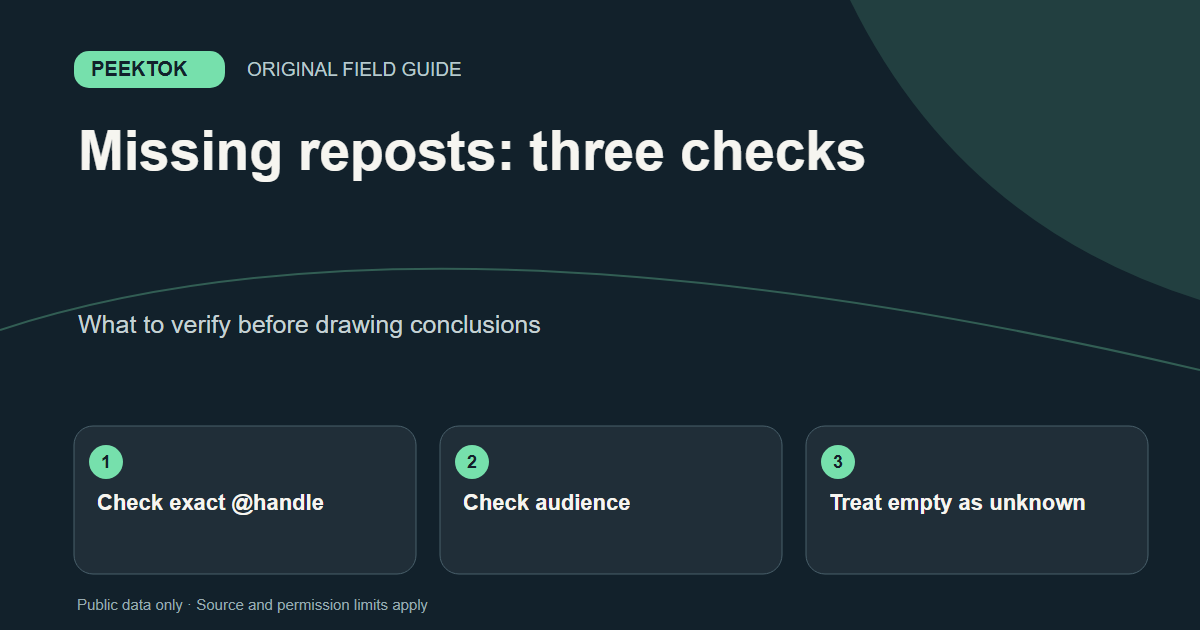
A missing Reposts tab or empty lookup does not prove an account has never reposted. Check the exact public handle, whether the post is still visible, and whether TikTok exposes that account’s reposts in your browser. A public viewer cannot bypass privacy settings or reconstruct removed activity.
What to check first
- Confirm the exact @username rather than a display name.
- Look at the public profile and check for an exposed Reposts tab.
- Try a public repost lookup once; if it fails, check the original profile and stop rather than guessing.
A tab can be absent even when reposting exists
TikTok controls how reposts appear on its own profiles. A tab that you saw in the app may not appear in a signed-out browser, and available profile features can differ by account or viewing context. Start by checking that the handle in the URL is the account you intended. Similar display names, renamed accounts, and a mistyped handle are simpler explanations than a platform failure.
If the profile itself is unavailable, the repost question cannot be answered from that browser session. Recheck the account link directly. An error from a third-party lookup is not evidence that the account is private, deleted, or empty; it only tells you the requested information was not returned.
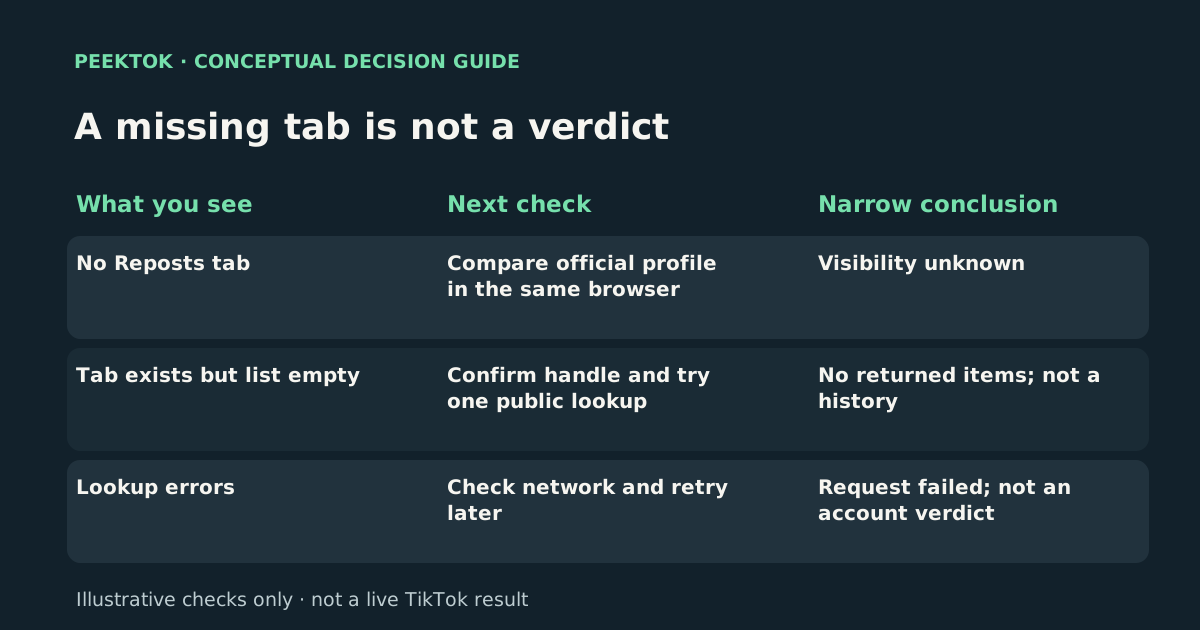
- No Reposts tab
- Check: Compare official profile in the same browser
- Conclusion: Visibility unknown
- Tab exists but list empty
- Check: Confirm handle and try one public lookup
- Conclusion: No returned items; not a history
- Lookup errors
- Check: Check network and retry later
- Conclusion: Request failed; not an account verdict
Privacy and post availability change what can be seen
A creator can control the audience for an account or a post. When an account is private or a repost points to content that is no longer publicly accessible, a signed-out tool cannot show it. A removed original post may also leave nothing useful to display. The relevant distinction is between ‘not returned’ and ‘never happened.’ Neither a missing tab nor an empty list establishes a complete history.
Do not trust services that ask for a TikTok password to unlock hidden reposts. Peektok requests what is available through its public-data sources; it does not authenticate as the creator or bypass the creator’s settings. If someone has not made an activity public, treat that boundary as intentional.
Check one failure at a time
Use the full profile URL when the handle might have changed. Open the profile on TikTok first to see whether the profile and any repost section are visible in the same browser. Next, enter the handle in Peektok’s repost viewer. Compare the returned @username with the intended account before interpreting any items. If nothing appears, retry only after checking for spelling or a transient network error.
A lookup can be partial because an upstream source limited the response, a post disappeared, or a browser could not load it. Peektok cannot verify which explanation applies to an individual missing repost. Record the time and exact input when you need to compare two results; do not label an empty response a complete count.
Use the visible outcome to choose the next check: no Reposts tab calls for a same-browser comparison with the official profile; an empty list after a successful lookup calls for checking the returned handle and individual source links; a verification or network error calls for fixing the request first. These three outcomes are not interchangeable, and none establishes that a person never reposted.
Repost, share and watch history are different
Reposting can put another person’s post into a distribution path associated with the reposter. Sending someone a post through a share link is not the same event, and simply watching a video is not a repost. TikTok’s help material describes reposting separately from its view-history features. If you need to know whether a link was shared privately, a public repost viewer cannot answer that question.
For the meaning of the two actions, read the separate repost-versus-share guide. If you need a broader explanation of public lookup limits, the general repost guide covers what an available result can and cannot establish.
When to stop troubleshooting
If the original profile is private, the account link does not work, or the original video is restricted, there is no safe viewer setting that changes its audience. If a normal browser works but the lookup does not, report the URL and the visible error through Peektok’s contact page; do not submit credentials, private messages, or a third party’s personal data.
A useful conclusion is narrow: ‘No public reposts were returned for this handle at this time.’ That statement is accurate even when the reason is unknown. It is more useful than asserting that a person has never used TikTok’s repost feature.
Need a wider explanation? Read the viewer troubleshooting guide or return to the guide directory. For this task, open the relevant Peektok tool.
Sources and verification
We use primary or first-party documentation for platform behavior and device-specific steps. The update date records content changes, not a new check of every linked source. Illustrations and test examples carry their own dates where stated.
- Repost (opens in a new tab)
TikTok Help Center
First-party instructions for reposting and removing a repost.
- Making your account public or private (opens in a new tab)
TikTok Help Center
First-party explanation of profile and post audience settings.
- First steps (opens in a new tab)
TikTok Help Center
TikTok’s first-party initial troubleshooting guidance.
Try it now
TikTok Repost Viewer
No TikTok login required. Public reposts only.
Related articles
TikTok Repost vs Share: Which Action Did You Take?
Understand how reposting differs from sending a TikTok link, where each action is visible, and what a public repost lookup can confirm.
How to See Someone's Reposts on TikTok
Learn how to see someone's reposts on TikTok, why the Reposts tab may be missing, and how to check public reposts without an account.
What Is a TikTok Viewer? Uses, Tool Types and Public-Access Limits
Choose between TikTok profile, video and repost viewers. Compare supported inputs, public results and privacy limits before starting a lookup.