
TikTok Viewer Not Working? A Practical Troubleshooting Guide
Quick answer
When a TikTok viewer is not working, first check the exact username or URL, then test whether the original public page still loads. Retry once after a short wait, avoid repeated requests, and separate profile failures from video or repost failures. A viewer cannot fix private settings, deleted posts, regional blocks, or an upstream TikTok outage.
When a TikTok viewer is not working, the cause is usually more specific than “TikTok is down.” A misspelled handle, an expired media URL, a private profile, a temporary rate limit, or a repost request that failed independently can all produce a blank result. Use the checklist below before sending the same request again and again.
The general TikTok viewer guide helps you choose the right input. A profile lookup, video lookup, and repost lookup do not fail for the same reasons.
1. Check the input
Use the exact @username or full public URL. Display names are not unique, and copied links can contain a typo or point to a post that no longer exists. If you are unsure, open the original link in TikTok or a normal browser first and copy the handle again.
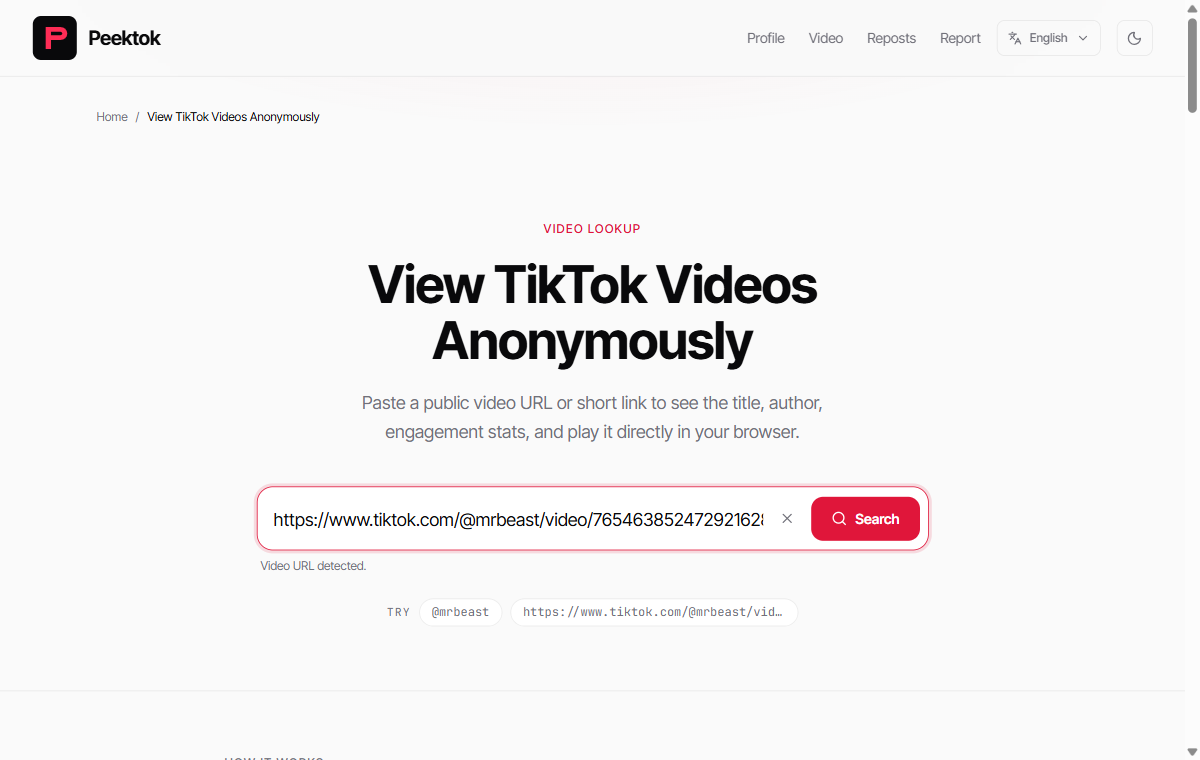
If the text box contains a full /@handle/video/ address, preserve the numeric video ID. A profile URL cannot identify a specific post, and a caption copied without its link gives the viewer nothing stable to resolve. Fix the input category before changing browsers or networks.
2. Separate profile and post failures
If the profile loads but one video does not, the profile is probably valid. The video may be deleted, age-restricted, region-limited, or served from an expired CDN URL. If the profile itself is blank, check privacy settings, the spelling, and whether TikTok still exposes the account.
Reposts are another separate request. If the first repost page loads but the next page does not, wait for the cursor request to finish before trying once more. A missing page is not proof that the account has no reposts. See the repost guide for the full boundary.
3. Retry responsibly
- Refresh the page once and submit the exact input again.
- Wait a few minutes if you see a rate-limit or temporary-service message.
- Try a different browser only to rule out a local cache or extension problem.
- Stop if the same error persists. Repeated requests cannot make private data public.
Common error patterns
| Symptom | Likely cause | Next step |
|---|---|---|
| Profile not found | Typo, private account, or unavailable region | Verify the exact handle |
| Video will not play | Expired, deleted, or restricted media | Fetch a fresh public link once |
| Load more is idle | Cursor, limit, or upstream response issue | Wait, then retry once |
| Unexpected login prompt | TikTok is gating the content | Accept the boundary; do not share credentials |
Match the returned error to the failing step
Peektok distinguishes invalid input, browser verification, request limits and provider failures. If you inspect a failed request or contact support, include the returned code when available. Not every failure reaches the API: a blocked verification script can stop the lookup earlier.
- INVALID_INPUT
- Check the supported handle or TikTok URL format. Retrying the same malformed value will not help.
- TURNSTILE_REQUIRED
- Complete browser verification in a normal supported browser. Check whether the verification service can load; do not bypass the challenge.
- RATE_LIMITED
- Wait for the indicated retry period, if provided. Avoid parallel tabs or repeated submissions.
- NOT_FOUND
- Verify the exact original link and public availability. This response does not establish why a creator or post is unavailable.
- EXTRACTOR_FAILED
- The request, provider, or response validation failed. Check connectivity and record the time and input type, then try later; changing a valid username is not a provider fix.
- MEDIA_URL_EXPIRED
- A temporary media link is no longer usable. Run a new lookup once; the open-video button only opens the URL already returned and cannot renew it.
- REPOSTS_UNAVAILABLE
- No usable public repost feed was returned. This is not proof that the account has never reposted; check public visibility and try later if the upstream service is unavailable.
A five-minute diagnosis
First, copy the handle or link again from the source. Second, open the original public page and note whether it loads. Third, try the narrowest Peektok tool: profile for a profile, video for one post, and reposts for the Reposts tab. Finally, record the exact message instead of describing everything as “broken.” A message about a temporary limit calls for patience; a message about a private account calls for a different expectation.
This order also protects the service. Sending the same request across several tabs can create more failures, not fewer. Close duplicate tabs, wait, and try again later if the upstream source is slow. If the problem persists across a known public profile and a second browser, report the exact URL and time rather than repeatedly refreshing.
When to use TikTok directly
Use TikTok itself when you need to change an account setting, follow a creator, comment, or confirm a feature that a public viewer does not support. A viewer is a read-only convenience layer. It is not a replacement for the source platform's account controls or support channel.
What a useful bug report includes
If you need to report a recurring failure, include the tool you used, the exact public URL, the approximate time, your browser, and the visible error message. Do not include passwords, private messages, or unnecessary personal information. A short, reproducible report is more useful than a screenshot with the username cropped out.
Also say whether the original TikTok page loads. That one detail tells maintainers whether they are looking at a source-availability problem or a viewer problem. It prevents a public tool from being blamed for content that TikTok itself no longer serves.
Safety matters during troubleshooting
Do not “fix” a viewer by installing an unknown extension, downloading a configuration file, or entering your TikTok password on a third-party page. Use the viewer safety checklist if a page makes private-content promises or redirects you through several unrelated domains.
Identify which layer is failing
A useful diagnosis separates your browser, the viewer, the upstream provider, and the original TikTok item. Test one known public profile and one known public video. If both fail, check the viewer or your connection. If only the original item fails, its privacy, deletion, region, age gate, or media availability is the more likely explanation. If text loads but media does not, the profile request and the CDN request probably had different outcomes.
| Test | Result | Interpretation |
|---|---|---|
| Open another normal website | It also fails | Check the device or network first |
| Open a known public Peektok lookup | It succeeds | The original item is account- or post-specific |
| Open the original TikTok URL | TikTok also shows unavailable | A viewer cannot restore it |
| Retry after a short wait | The request works | A temporary limit or upstream error likely cleared |
Do not use risky fixes
Troubleshooting should not require a TikTok password, verification code, browser extension, configuration profile, executable file, or payment to “unlock” a public result. Those requests do not repair a misspelled username, private profile, or expired video. They create a separate security risk. Keep the test inside a normal browser and stop when the source is not public.
Changing a VPN location repeatedly is also a poor diagnostic. It can produce different regional responses without showing which result is authoritative, and it may trigger additional abuse controls. If regional availability matters, record the region and time honestly rather than trying many locations until one returns the answer you wanted.
A support report that can be reproduced
Include the exact tool, the submitted public URL or handle, the local time and time zone, the visible error, and whether the original TikTok page worked. Say whether another known public item succeeded. Do not send passwords, cookies, private messages, or full browser exports. Those details are unnecessary for a public lookup and create avoidable privacy risk.
A report with two controlled tests is much easier to investigate than “nothing works.” It lets a maintainer distinguish validation errors, source availability, expired media, rate limits, and a site-wide incident without asking you to repeat the failing request many times.
Temporary error or permanent boundary?
Temporary errors usually affect several otherwise public requests and may clear after a short wait. Permanent boundaries usually follow one item: a private account, deleted post, changed username, or audience restriction keeps failing while other public examples work. Test once, compare a control item, and stop. That pattern is more reliable than the wording of a single generic error message.
FAQ
Why does it work for one username but not another?
Public availability, privacy settings, regional access, and upstream caching can differ by account.
Should I keep refreshing?
No. One careful retry is enough. Repeated identical requests can make temporary limits last longer.
Is a blank result always an error?
No. It can accurately reflect a private, deleted, restricted, or currently unavailable item.
Diagnose the narrow problem
Start with the exact input, test the original public page, and keep profile, video, and repost requests separate. That simple order usually tells you whether the viewer is broken or the source is no longer public.
Sources and verification
We use primary or first-party documentation for platform behavior and device-specific steps. The update date records content changes, not a new check of every linked source. Illustrations and test examples carry their own dates where stated.
- First steps (opens in a new tab)
TikTok Help Center
TikTok’s basic troubleshooting order for app, connection, cache, and restart issues.
- Making your account public or private (opens in a new tab)
TikTok Help Center
The platform’s official account-visibility boundary.
Try it now
Peektok TikTok Viewer
Look up public profiles and videos without a TikTok login.
Related articles
What Is a TikTok Viewer? Uses, Tool Types and Public-Access Limits
Choose between TikTok profile, video and repost viewers. Compare supported inputs, public results and privacy limits before starting a lookup.
How to View TikTok Without an Account
View public TikTok profiles and videos without an account. Learn what anonymous viewing means, what owners can see, and what content remains private.
How to See Someone's Reposts on TikTok
Learn how to see someone's reposts on TikTok, why the Reposts tab may be missing, and how to check public reposts without an account.