
TikTok Viewer for Public Profiles: What You Can Check
Quick answer
A TikTok viewer for public profiles can show information TikTok makes available to unauthenticated visitors, such as a handle, bio, visible counts, and some recent public videos. It cannot reveal private posts, drafts, messages, or hidden lists. Treat the result as a current snapshot because profile data and video availability change.
A TikTok viewer for public profiles is useful when you know the account handle but do not want to open a signed-in feed. It gives you a focused page for checking the public profile, visible counts, and available posts. The word public matters. A viewer is a way to organize information TikTok already exposes, not a shortcut around an account owner's privacy settings.
Peektok is built for that narrower job. You can enter a handle or profile URL, compare the returned identity, and then open the public items that are available at the time of the request. If you are still deciding between a profile lookup and a single-video lookup, the broader TikTok viewer guide explains the difference.
What a public profile viewer can show
The exact result changes as TikTok changes its public pages, but a public lookup may include the handle, display name, bio, avatar, follower and like totals, and a selection of public posts. Those numbers are a snapshot. They can change between two searches, and a video may disappear when its author deletes it, changes its audience, or TikTok limits access in your region.
- Use the handle as the identity check. Display names are not unique.
- Read the profile URL and username together before trusting the result.
- Treat counts as current estimates, not a permanent analytics record.
- Open a post only when you have a legitimate reason to view or save it.
How to check a TikTok follower count without an account
Submit the exact public handle or profile URL, confirm the returned identity, and read the follower total only if that field is available. Record the lookup date and time alongside the number. The result may be cached, and rounded totals may not support a precise change calculation.
A follower total is not a follower list. Peektok does not reveal the identities of an account's followers. An empty or unavailable field is not zero, and a missing result is not evidence that the account has lost all its followers. If precision matters, compare the public source at the same time and state any rounding or availability limits.
How to check a profile in three steps
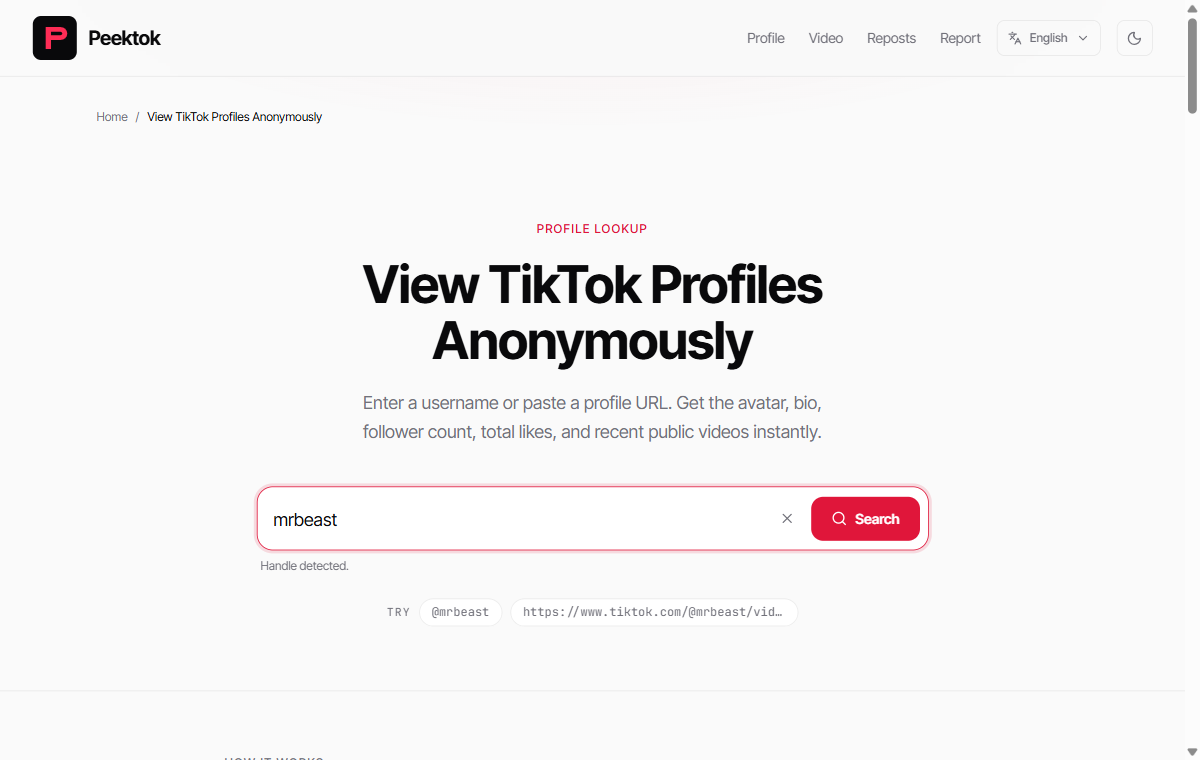
Before pressing search, read the input once from left to right. Dots, underscores, and digits are part of the handle. If you copied a profile URL, keep the /@handle portion intact and remove any unrelated text that a messaging app may have added around the link.
- Start with the exact handle.Copy the @username from the creator's public profile or use the complete profile URL. Avoid guessing from a nickname.
- Compare the returned identity. Check the avatar, bio, and handle. If they do not match, stop and search again rather than assuming it is the same creator.
- Choose the narrowest next step. Use the profile result for public stats, the video viewerfor one post.
Resolve username variants without guessing
Treat @name, name without the @ sign, and a complete tiktok.com/@name profile URL as different ways to submit the same handle. Preserve dots, underscores, and digits exactly. Do not assume a similar-looking variant belongs to the same person, and do not use the display name as a substitute: display names are not unique and can change independently of the account handle.
An older bookmark or link in a press page can still be useful after a username change. Open that URL in a normal browser and see whether TikTok redirects it to a new canonical /@handle address. If it does, record the final URL and verify the avatar, bio, linked website, and recent topics before accepting the match. If the old URL is dead or lands on a different account, the URL alone is not proof that the new profile belongs to the same creator.
When two plausible variants remain, compare them against a first-party source controlled by the creator, such as an official website or another verified profile. A public viewer can help inspect the candidates, but it cannot resolve identity from a nickname or visual resemblance alone.
What it cannot reveal
A public profile viewer cannot show drafts, direct messages, private videos, hidden follower lists, or account-only recommendations. It also cannot make a deleted or region-restricted video appear. If a website promises private access, asks for a TikTok password, or requests an unknown extension, leave it. The TikTok viewer safety checklist covers the warning signs in more detail.
How to read a profile result carefully
Start at the top of the result, not at the biggest number. A follower total can look impressive, but the handle and avatar tell you whether you have the right account. Next, compare the bio and recent post topics with the source you used. This is especially important for creators who have similar names or who recently changed their username.
Then separate stable details from fast-changing details. The handle, profile URL, and bio are useful identifiers. Follower counts, likes, and recent video order can change during the same day. If you are preparing a report, note the lookup date and the exact URL. A viewer is good for a current check, not for pretending that a live profile is a fixed database row.
When a profile viewer is the wrong tool
Use a direct video lookup when you already know the post. Use the repost tool when the question is specifically about reposts, and use TikTok itself when you need account actions such as following, commenting, or sending a message. Choosing the narrowest tool reduces confusion and makes an error easier to explain. Use the profile viewer when the question starts with a public username, and switch to the video or repost tool only when you already know that specific link or task.
A small checklist before sharing a result
Before you send a profile result to someone else, open the canonical link in a second tab and confirm that the handle still matches. Remove any private notes from the message and explain that counts can change. If the profile is a child, a private individual, or part of a sensitive inquiry, consider whether sharing the lookup is necessary at all.
This habit keeps a public profile viewer in its proper role: a quick reference for information the account has chosen to make available. It prevents a temporary result from becoming an overconfident claim about a person or a business.
Viewer results versus TikTok analytics
A viewer is not a replacement for the creator's TikTok analytics dashboard. It can read public totals, but it cannot explain retention, traffic sources, audience demographics, or private account performance. If you need a public-facing comparison, use the same handle and date range for each lookup, and record that the numbers may change.
How to compare profile numbers responsibly
Public counts are most useful when you compare like with like. Write down the exact handle, the date and time, and the fields you can actually see. Then use the same process for the next lookup. A follower count from Monday and a like total from Friday do not describe one synchronized moment, and a cached result may be older than the page you opened directly.
| Field | Useful for | Do not assume |
|---|---|---|
| Follower count | A current audience-size snapshot | Every follower is active or authentic |
| Total likes | A broad public engagement total | Likes came from a particular period or post |
| Recent posts | Confirming topic, style, and current activity | The list is a complete archive |
| Bio and links | Checking identity and claimed destinations | Every external claim has been verified |
A repeatable verification method
For a meaningful check, save the canonical profile URL and inspect the same fields in the same order: handle, display name, avatar, bio, counts, and recent public posts. Open at least one recent post to confirm that the account and content match. If the result matters for brand research or a report, repeat the lookup later and label both observations with their timestamps instead of silently replacing the first number.
This method does not turn public counts into audited business metrics. It simply makes your own notes reproducible. Creator-only analytics, audience demographics, reach, watch time, and traffic sources remain outside a public profile viewer. When a decision depends on those measurements, ask the account owner for first-party analytics rather than inferring them from a public total.
Public visibility and profile-view history are different
An account being public describes who can access its public profile and posts. TikTok's profile view history is a separate in-app setting with its own eligibility and visibility rules. Do not treat a public profile result as evidence that the creator received your identity. Peektok does not sign in as you or submit your TikTok account identity with a lookup, while ordinary website and network logs remain a separate privacy question.
Quick answers
Can I use a public profile viewer without logging in?
Yes, for public data available without a TikTok login. You are not using a TikTok login, but normal browser and network records can still exist.
Why is a public profile blank?
Check the handle first. The profile may be private, unavailable in your region, temporarily rate-limited, or changed since the last lookup.
Does the creator see my lookup?
A no-login lookup is not attached to your TikTok username. That is different from promising complete network anonymity.
The practical takeaway
Use a TikTok viewer for public profiles when you need a quick, signed-out look at information that is already public. Verify the handle, keep the scope narrow, and treat missing data as a limit of availability rather than proof that an account has no posts. That approach gives you a useful result without making claims a public viewer cannot support.
Sources and verification
We use primary or first-party documentation for platform behavior and device-specific steps. The update date records content changes, not a new check of every linked source. Illustrations and test examples carry their own dates where stated.
- Making your account public or private (opens in a new tab)
TikTok Help Center
TikTok’s explanation of what changes when an account is public or private.
- TikTok profile view history (opens in a new tab)
TikTok Help Center
Official eligibility, settings, and visibility details for TikTok’s in-app profile view history.
Try it now
TikTok Profile Viewer
Use a public handle or profile URL.
Related articles
What Is a TikTok Viewer? Uses, Tool Types and Public-Access Limits
Choose between TikTok profile, video and repost viewers. Compare supported inputs, public results and privacy limits before starting a lookup.
How to View TikTok Without an Account
View public TikTok profiles and videos without an account. Learn what anonymous viewing means, what owners can see, and what content remains private.
Is a TikTok Viewer Safe? What to Check
Check whether a TikTok viewer is safe before searching. Learn the warning signs for passwords, private-content claims, downloads, redirects, and data handling.